
Portfolio
Real work. Real results.
Hands-on labs, live client projects and built platforms, organized by discipline.
Designed and deployed a 24/7 AI assistant embedded in a live business website. The assistant answers security questions in English and Spanish, recommends the right service tier, and captures qualified leads naturally in conversation, writing them directly to a CRM and alerting the owner in real time.
Capabilities
- LLM-powered chat with strict anti-hallucination guardrails (verified pricing only, no invented claims)
- Automatic lead scoring and CRM write-back with conversation context
- Incident escalation: active breach reports trigger an immediate human alert with first-response guidance
- Prompt-injection resistance and hard data-protection rules (no SSNs, PHI, or credentials accepted)
- Graceful degradation: if the AI is unreachable, visitors get a direct booking link
Performed a full security overhaul of a production business-automation server running 50+ integrated API services. Eliminated credential sprawl, added failure monitoring, and established disaster recovery.
Work performed
- Migrated 52 integration points from hardcoded API keys to a centralized, domain-locked credentials store
- Each credential restricted to its own service domain
- Deployed real-time error alerting for any workflow failure
- Automated weekly off-site configuration backups with one-click restore
- Identified and removed a dormant remote-shell execution path
Diagnosed and repaired a production CRM where lead-stage updates silently failed and two systems were writing to different databases. Restored data integrity with zero loss.
Key findings & fixes
- Root-caused silent failures to a field-format mismatch between the automation layer and the API
- Built input normalization into the API so legacy and current formats both work
- Unified all reads/writes onto a single source of truth
- Migrated stranded records with deduplication: 14 leads recovered, zero data loss
- Verified end-to-end with live create/update/delete tests before sign-off
Deployed Snort in Sniffer, Logger and NIDS modes. Wrote custom detection rules for SSH brute-force, non-standard HTTP traffic, and ICMP anomalies. Analyzed pcap files with tcpdump and Wireshark to trace attack patterns.
Key findings
- Detected SSH brute-force from 10.3.40.7 → port 22 (threshold: 5 attempts/60s)
- Non-standard SSH traffic: 172.29.0.1 → 172.29.9.1
- Suspicious HTTP GET from 10.3.40.16 → port 80
- Custom rules written: ICMP, SSH, HTTP, DNS external request detection
Built a cloud-based Security Operations Center home lab on Microsoft Azure, with a VM configured as a honeypot to attract and log real-world attack traffic, and Network Security Groups acting as the firewall layer.
Architecture
- Created Azure subscription, resource group and virtual network
- Deployed a Windows VM configured as an exposed honeypot
- Configured Network Security Group rules to monitor inbound threats
- Logged and analyzed attacker behavior patterns in real time
Executed the full DFIR lifecycle from Preparation through Lessons Learned using the NIST Incident Response Framework, investigating DLL hijacking and documenting findings in structured reports.
Skills demonstrated
- Identified DLL hijacking attack vector and lateral movement
- Performed disk image analysis using Autopsy
- Applied NIST IR Framework: Detect → Contain → Eradicate → Recover
- Collected and preserved digital evidence per forensic chain-of-custody
Investigated a suspicious executable using Netstat, VirusTotal and ClamAV. Generated an MD5 hash for identification, traced active network connections to malicious IPs, and proposed a full remediation strategy.
Findings
- Malicious file identified: file176.exe
- Suspicious outbound connection to 123.35.104.34
- Confirmed malicious via 42 of 68 VirusTotal engine flags
Explored all OWASP Top 10 vulnerability classes in a controlled lab environment, demonstrating SQL injection, XSS, CSRF and authentication flaws, and cloning a login page for phishing-awareness training.
Techniques practiced
- SQL injection via form input, extracting database contents
- Stored and reflected XSS payload injection
- Login page cloning for phishing simulation (awareness training)
- Identified broken authentication and session-management flaws
Applied hypothesis-driven threat hunting to proactively detect hidden adversaries in a simulated environment, using OSINT tools to build threat profiles and distinguish known from unknown attack patterns.
Methodology
- Built structured threat-hunting hypotheses from intel feeds
- Used OSINT to map attacker infrastructure and TTPs
- Distinguished APT behavior from normal user traffic
- Documented findings using MITRE ATT&CK framework alignment
Completed 14 hands-on Linux labs covering file-system management, user permissions, process control, networking commands and SELinux, building a master command reference used across later security labs.
Skills covered
- File & directory management, vi/nano/vim editors
- User/group permissions, sudo, chown, chmod
- SELinux modes: enforcing, permissive, disabled
- Networking: tcpdump, netstat, ss, curl, wget
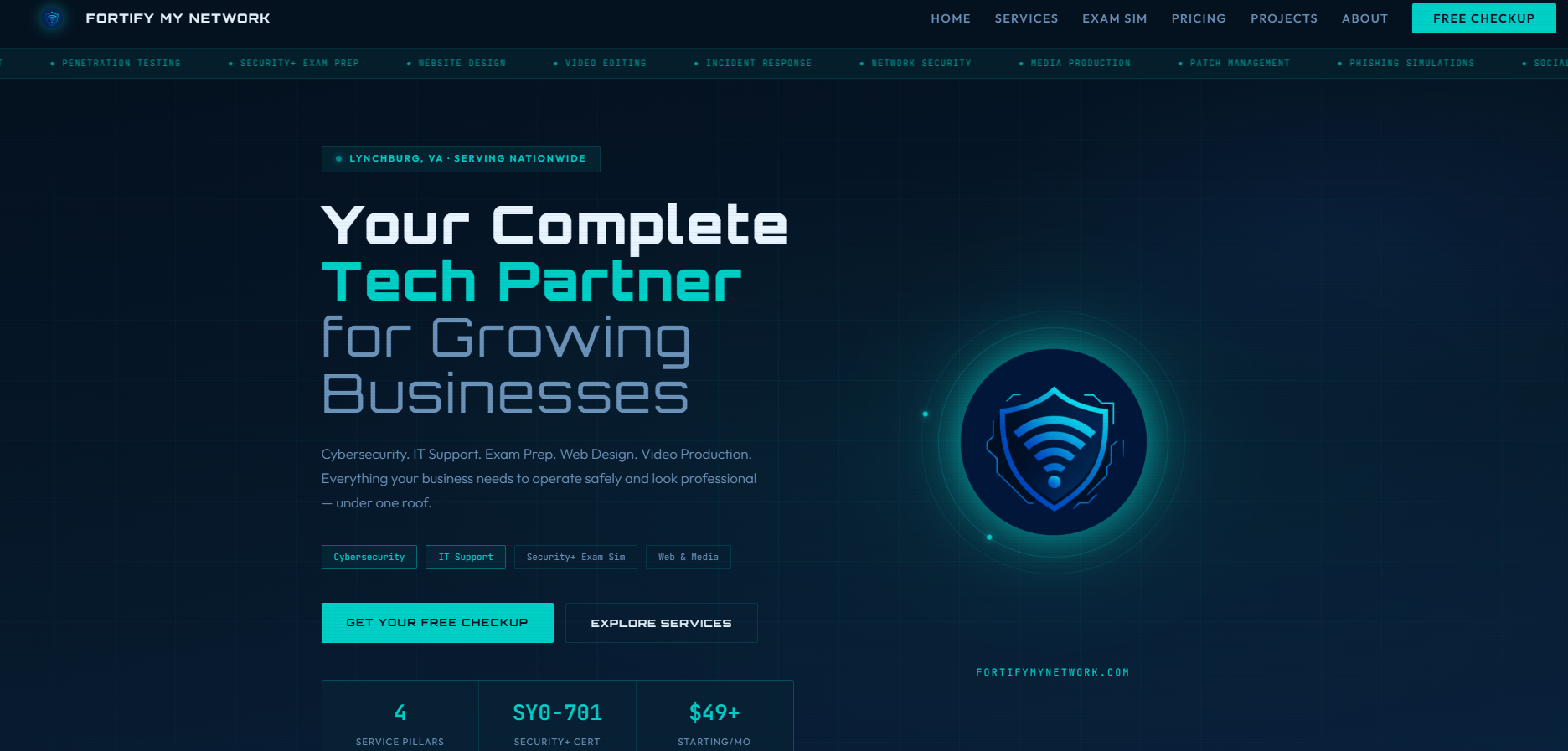
FortifyMyNetwork.com
Full custom business website for Fortify My Network. Dark-themed, mobile-responsive, with an animated hero, service overview, pricing, project portfolio and integrated contact form.
Visit site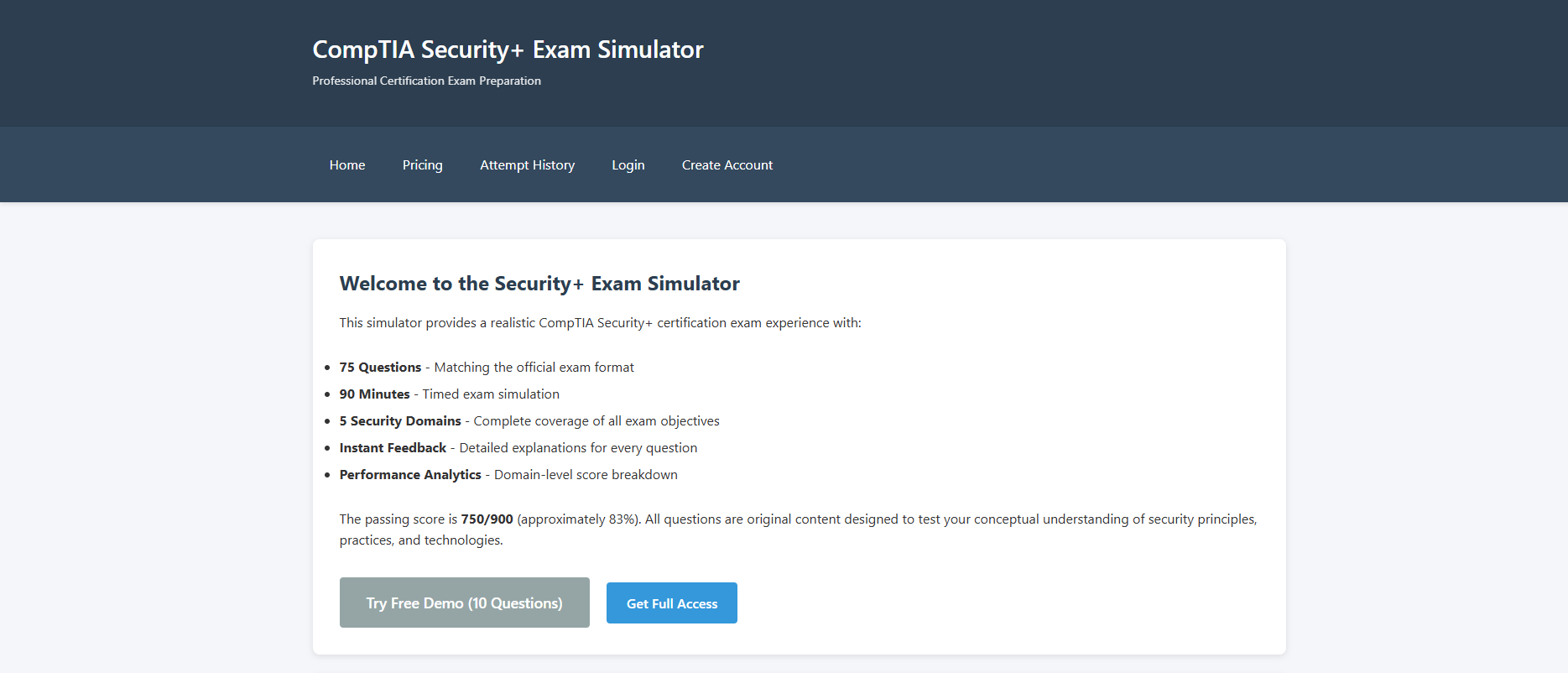
SecurityPlusSimulator.com
A dedicated CompTIA Security+ SY0-701 exam prep platform, with domain-by-domain question banks, timed practice exams, and real exam-style questions built by a certified security professional.
Visit siteBuilt by a certified security professional who passed the SY0-701 exam. A full exam simulation platform with real question banks, timed exams and domain-specific drills, built for people who want to pass, not just study.
Visit SecurityPlusSimulator.comWhat's inside
- All 5 SY0-701 exam domains covered in depth
- Domain-by-domain question banks
- Timed full practice exams
- Real exam-style question format
- Written by someone who took the same exam
Like what you see?
Let's talk about your business.
Book a free security checkup, no pressure, no jargon.